
About the Buncombe County Clerk of Superior Court
Jean Marie Christy is the elected Clerk of Superior Court for Buncombe County. The office is at the Buncombe County Courthouse, 60 Court Plaza, Asheville, NC 28801-3519, and the main phone number is (828) 259-3400. Hours run Monday through Friday, 8:00 AM to 5:00 PM. The Clerk's office is large by North Carolina standards. It employs 63 people, including 10 assistant clerks and 53 deputy clerks. The work spans 12 divisions and nine floors of the courthouse.
North Carolina clerks are judicial officers in their own right. They are elected by county voters and serve a four-year term. The role is not the same as a county clerk in other states, who typically handles administrative and land records. In North Carolina, the Clerk of Superior Court sits as a judicial official in probate and other special proceedings, not just as a file manager. That distinction matters when you need a court order, not just a copy of a document.
Clerk of Superior Court
Clerk: Jean Marie Christy
60 Court Plaza
Asheville, NC 28801-3519
(828) 259-3400
Mon-Fri 8:00 AM-5:00 PM
The courthouse has a security checkpoint at street level. Plan to arrive at least 30 minutes before your appointment or filing deadline. Bags are scanned, and all visitors pass through a metal detector before entering. Elevators connect the entry level to all upper floors, including the nine floors where Clerk divisions operate.
The Four Roles Buncombe County Clerks Hold
North Carolina law gives clerks of superior court four distinct responsibilities. Each one matters to anyone who needs records, wants to file a petition, or is looking for money held by the court. The Buncombe Clerk's office puts all four into practice across its 12 divisions.
As judge of probate, the Clerk determines whether a will meets legal requirements, oversees estate administration, appoints personal representatives, audits accountings, removes fiduciaries when needed, and hears matters involving incompetency, guardianship, foreclosure, partition, legitimation, name changes, and adoption. No other judge in the courthouse handles these matters unless they are appealed. As record keeper, the Clerk files, processes, indexes, and maintains all Superior Court and District Court documents and provides public access to those files. As administrator, the Clerk manages 63 employees spread across 12 divisions and nine courthouse floors, overseeing everything from case intake to jury management. As controller, the Clerk receives, invests, and disburses money collected through court fees, traffic citations, fines, and other court obligations.
Each role is separate, but they all run through the same office. A person filing a petition for adult guardianship deals with the Clerk in the probate role. A person pulling a civil judgment deals with the Clerk in the record-keeper role. A traffic defendant making a payment deals with the Clerk in the controller role. Knowing which role applies helps you reach the right division faster.
Note: The Clerk's administrative and judicial functions are set by state law; if you have a question about which division handles your matter, call (828) 259-3400 before making the trip.
Court Records the Buncombe County Clerk Keeps
The Clerk of Superior Court is the custodian for a wide range of court files. Knowing which records the office holds also tells you which records it does not hold. The Register of Deeds, located at 205 College Street, handles real property, deeds, plats, assumed business names, UCC recordings, and certified vital records such as birth, death, and marriage certificates. The Register of Deeds FAQ is explicit: divorce and estate records are court matters kept by the Clerk, not the Register.
The Clerk's office maintains the files below. Superior Court cases come from the higher trial court and include the more serious matters. District Court cases cover the full range of family, traffic, and lower-level criminal business.
- Superior Court criminal files - felony charges, pleas, jury verdicts, sentences, and post-conviction proceedings.
- District Court criminal and infraction files - misdemeanors, traffic infractions, impaired driving cases, and minor criminal matters.
- Civil case files - Superior Court civil cases over $25,000 and District Court civil cases at or below $25,000.
- Family court records - divorce, equitable distribution, child custody, child support, and domestic violence protective orders.
- Probate and estate records - wills, estate administrations, inventories, accountings, and final settlements.
- Guardianship and incompetency records - petitions, orders, and annual reviews for adults and minors.
- Special proceedings - foreclosures, partitions, legitimations, name changes, and adoption records (sealed under N.C.G.S. § 48-9-102).
Searching these records online starts at the North Carolina eCourts Portal, which went live in all 100 counties on October 13, 2025. For Buncombe County court records across all case types, the Portal's Smart Search tool is the first stop. Certified official copies still require a request to the Clerk's office directly.
How to Request a Buncombe County Certified Copy
A certified copy is an official reproduction of a court document with the Clerk's seal and signature. Courts, lenders, and government agencies require certified copies for legal proceedings. An uncertified print from the eCourts Portal is not accepted in those contexts. The Clerk's office issues certified copies for case files maintained in Buncombe County Superior and District Court.
- Find the case number. Search the eCourts Portal Smart Search at portal-nc.tylertech.cloud using the party's name or an existing case number. Write down the full case number before contacting the Clerk.
- Identify the document type. Know exactly what you need. A certified copy of the entire case file costs more than a single page. Common requests include the judgment, the complaint, a divorce decree, or an estate order. The specific document name speeds up fulfillment.
- Choose your request method. You can request in person at the Clerk's office on the first floor of 60 Court Plaza, by mail to Clerk of Superior Court c/o Court Payments, 60 Court Plaza, Asheville, NC 28801, or check whether the document is available through the eCourts Portal for viewing or download.
- Include payment. Court copy and certification amounts in North Carolina are set by statewide court cost rules. Confirm the current fee with the Clerk's office before sending payment. Mail payments must be a money order or certified check made payable to Buncombe County Clerk of Superior Court. Do not send cash or a personal check by mail.
- Pick up or wait for mail. In-person requests can often be filled the same day if the file is readily available. Mail requests take additional time for processing and return postage. Ask the Clerk's staff about current turnaround when you submit the request.
The Buncombe payment information page on the N.C. Judicial Branch site covers traffic citations and court fees. That page is shown below and reflects the Clerk's accepted payment methods for court obligations generally.
The N.C. Judicial Branch payment information page for Buncombe County, shown here, covers the accepted payment types for court fees and citations at the Asheville courthouse.
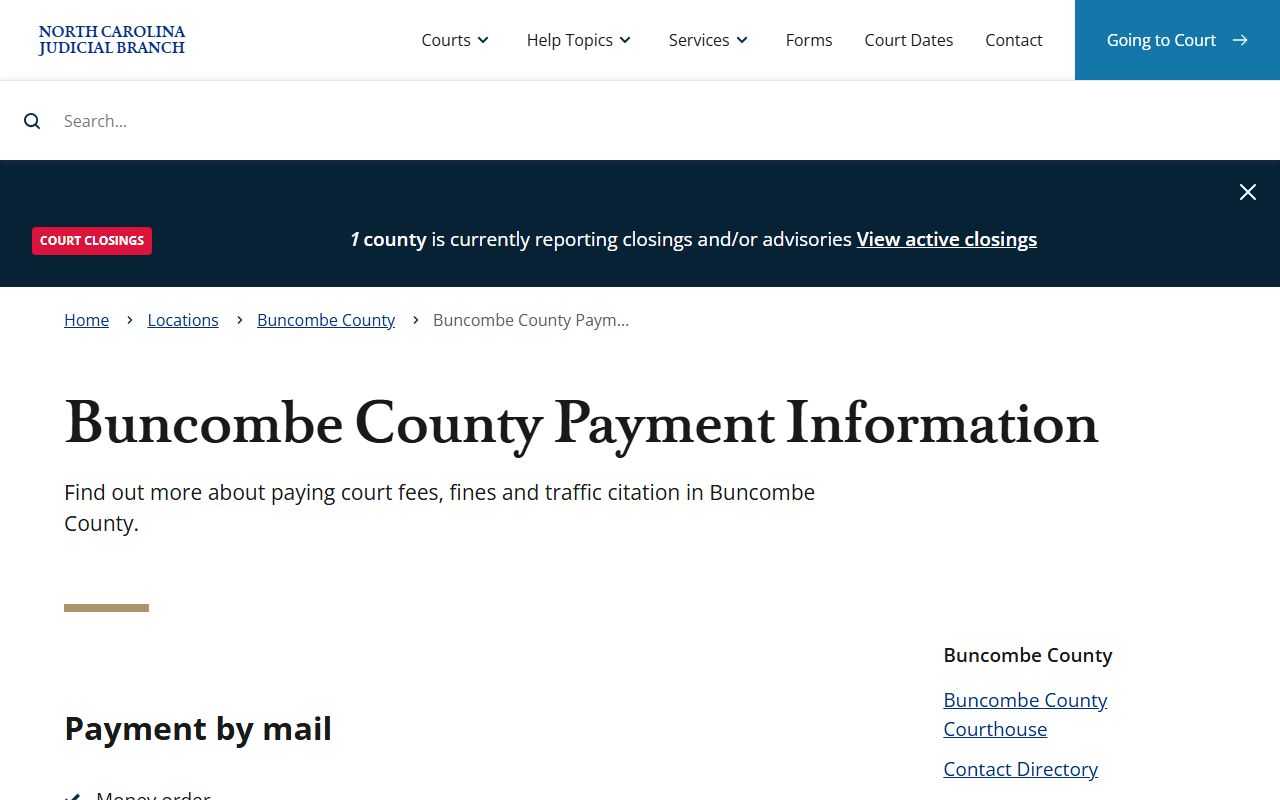
That payment page confirms the three channels the Clerk accepts for court obligations: mail with money order or certified check, in-person cash or card, and online card payment when eligible. Each method has conditions covered in the payment table below.
Buncombe County Clerk Payment Methods
The Buncombe County Clerk of Superior Court accepts payment through three channels for court fees, fines, traffic citations, and related obligations. The rules differ by channel, so pick the one that matches your situation before preparing a payment.
| Method | Accepted Types | Not Accepted / Notes |
|---|---|---|
| Money order; certified check | No cash; no personal checks. Make payable to Buncombe County Clerk of Superior Court. Mail to c/o Court Payments, 60 Court Plaza, Asheville, NC 28801. Include citation or case number. | |
| In Person | Cash; credit/debit card (plus processing fee); money order; certified check | No personal checks. Pay at the Clerk's office on the first floor of 60 Court Plaza. |
| Online | Credit/debit card (Visa, MasterCard, Discover) if case is eligible | Processing fee applies. Apple Pay, Google Pay, Cash App, Venmo, and similar apps are not accepted. Use the eCourts Make Payments portal. |
Online payment is only available for eligible case types in the eCourts system. Not every traffic citation or court fee can be paid online. If the Make Payments portal does not show your case, use the mail or in-person option. Missing a payment deadline can result in an order for arrest for unresolved criminal or infraction matters.
Records Request Form Fields for the Buncombe Clerk
When you contact the Buncombe County Clerk of Superior Court for a copy of a court record, the office needs enough information to locate the file. Having these details ready before you call, write, or walk in saves time for both you and the staff.
| Field | Required | Notes |
|---|---|---|
| Case Number | Preferred | Speeds up retrieval. Look it up first in the eCourts Portal Smart Search if you do not have it. |
| Party Name(s) | Yes (if no case number) | Full legal name in Last, First Middle format. Include all known parties if possible. |
| Document Type | Yes | Name the specific document (e.g., Final Judgment, Divorce Decree, Estate Inventory, Order of Incompetency). |
| Filing Date or Year | Helpful | Narrows the search if only a name is available. An approximate year helps if the exact date is unknown. |
| Number of Copies | Yes | State how many certified and/or uncertified copies you need. |
| Requester Name and Contact | Yes | Your name, mailing address, and phone number for any questions or for mail fulfillment. |
| Payment | Yes | Confirm the current fee before submitting. Mail payments: money order or certified check payable to Buncombe County Clerk of Superior Court. |
There is no single state-mandated form for court record requests in North Carolina. The Clerk's office processes requests based on the information you provide. A clear written request that includes case number, document name, party names, and a return address is all the office needs to find most files.
Buncombe County Local Rules and Clerk Forms
The N.C. Judicial Branch publishes Buncombe-specific local rules and forms separate from the statewide forms library. These forms are used in domestic, family, and civil matters handled in Buncombe courts. The local rules and forms page covers documents that are required or commonly used in Buncombe specifically and may not be available at the general statewide forms level.
The Buncombe local rules and forms page, shown below, is the official source for these documents and is updated by the Judicial Branch when the rules change.
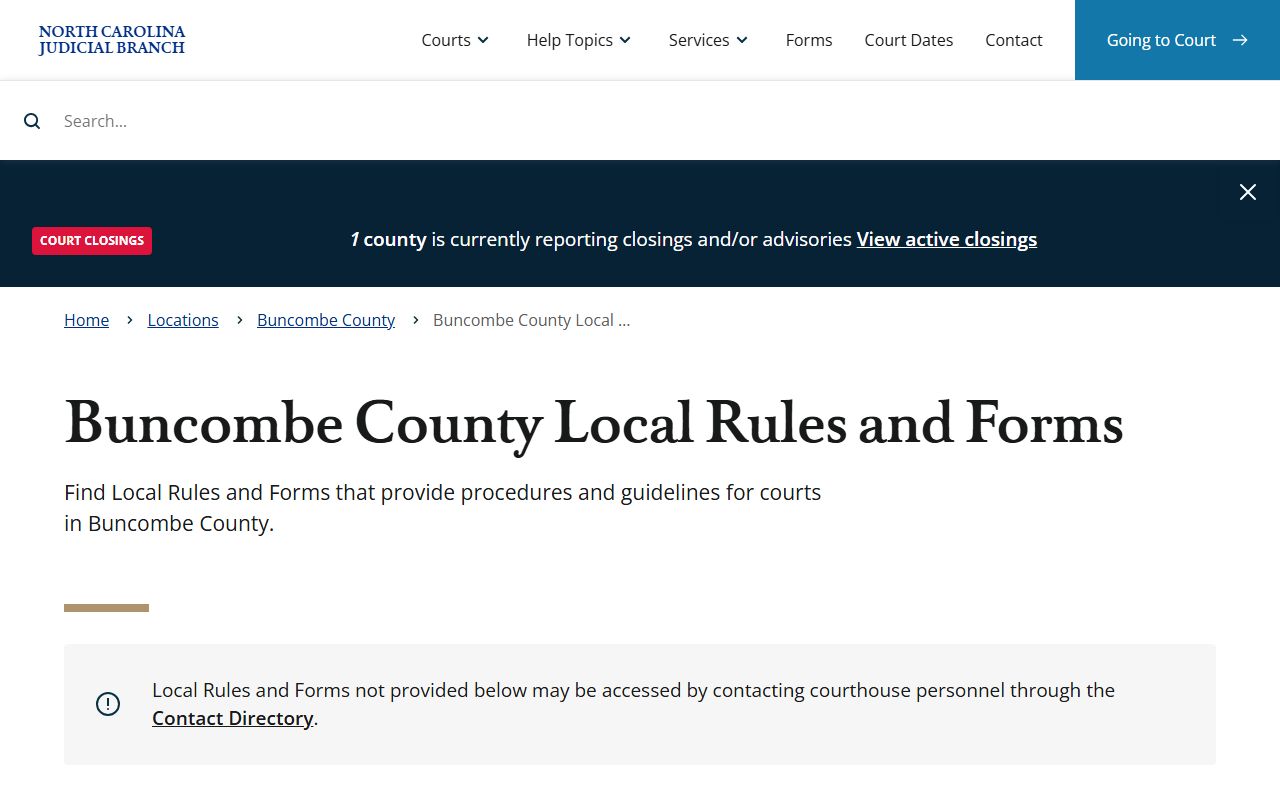
That page is the correct source for the current version of each local form. Always download from there rather than using a saved copy, since versions can change when court rules are amended.
Local forms available from the Buncombe County Local Rules and Forms page include the following categories. Each form serves a specific stage of a domestic, family, or civil proceeding in Buncombe courts.
- Notice of Hearing and Judicial Assignment
- Request for Peremptory Setting
- Motion to Continue and Order
- Financial Affidavit and Employer Wage Affidavit
- Motion to Waive Custody Mediation
- Calendar Call Attorney Availability Form
- Final Pre-Trial Order for Custody and Support
- Final Pre-Trial Order for Equitable Distribution
- Inventory Equitable Distribution Affidavit and Final Equitable Distribution Affidavit
- Order to Attend Parent Education/Mediation Orientation and Mediation/Referral for Custody Mediation
- Pretrial Memorandum
- Motion to Set Child Support Enforcement/IV-D Hearing in Family Court
- Notice of Appearance
Note: Preparation instructions for equitable distribution affidavits are included in the Buncombe local rules package and should be reviewed before completing those forms.
Guide and File: Self-Help Through the Clerk's Office
The N.C. Judicial Branch offers Guide and File, a free online tool that helps people prepare court documents by walking them through a series of questions and generating the forms. The Buncombe Clerk's page lists the case types available in Guide and File for Buncombe County. These are the situations where a person can prepare and file a case without a lawyer, at least at the initial stage.
Guide and File categories listed for Buncombe County cover a wide range of common court matters. These include proceedings that go before the Clerk as judge of probate and proceedings filed in District Court. Below are the types the Buncombe Clerk's page identifies as available through the tool.
- Absolute Divorce
- Adult Guardianship
- Adult Name Change
- Application for Certificate of Verification of Prior Expunction
- Domestic Violence Protective Order
- Motion to Claim Exempt Property
- Petition to Proceed as an Indigent
- Probate Year's Allowance and Summary Administration
- Small Estate Administration
- Request for Relief from Fines, Fees, or Monetary Obligations
- Small Claims Money Owed
- Repossession of Personal Property
- Summary Ejectment Complaint and Tenant's Answer and Counterclaims
- Appeal to District Court
The Guide and File tool is part of the broader N.C. Judicial Branch services page. It is not a substitute for legal advice, and Clerk's staff cannot help you complete forms or explain the legal effect of filing. For questions about which form to use or what your case means, contact an attorney or reach out to the Office of the Public Defender at (828) 259-3423 if you qualify for indigent representation in a criminal matter.
Buncombe County Clerk vs Register of Deeds
Buncombe County has two separate record offices, and they serve very different purposes. People sometimes go to the wrong office, especially for divorce and probate records. The split is clear once you know it, and both offices say so plainly on their websites.
The Clerk of Superior Court keeps all court records. That includes Superior Court criminal cases, District Court criminal and family cases, civil judgments, divorce decrees, estate files, guardianship orders, foreclosure proceedings, and name changes. If it went before a judge or the Clerk in a court proceeding, the file lives with the Clerk of Superior Court at 60 Court Plaza.
The Register of Deeds, at 205 College Street, keeps land and vital records. That means deeds, deeds of trust, plats, UCC filings, assumed business names, birth and death certificates, marriage certificates, and marriage licenses. The Register does not keep divorce records, estate records, or court orders. Their FAQ page is direct about this: divorce and probate questions go to the Clerk of Court.
For land and vital record searches, see the Register of Deeds page. For court records, court records, probate records, and District Court information, the Clerk of Superior Court is the right office. Getting to the right office on the first try saves a trip across downtown Asheville.
Online Access and the eCourts Portal
The North Carolina eCourts Portal is the public access point for Buncombe County court records. As of October 13, 2025, all 100 North Carolina counties, including Buncombe, are fully live on the Odyssey case management system through the Tyler Technologies portal. Most public case information is searchable without an account.
The Portal offers four main tools that Buncombe County residents use to find court information. Smart Search lets you search cases by name or case number across the full Buncombe court docket. Search Hearings returns court dates, courtrooms, and judicial officers for upcoming matters. Make Payments handles eligible traffic citations and some criminal case fees. NC Judgment Search is an index of court judgments under N.C.G.S. § 132-6.
The Portal requires JavaScript and cookies. Tyler runs a CAPTCHA check every five minutes for all users, including registered and elevated-access accounts. Cards accepted online are Visa, MasterCard, and Discover only. Digital payment apps like Apple Pay, Google Pay, Cash App, and Venmo are not supported. For eCourts questions not answered at the portal, contact ecourts@nccourts.org or call the Buncombe Clerk directly at (828) 259-3400.
Note: Online records in eCourts reflect what has been entered into the system. New filings, dispositions, and payments may take time to appear. Always confirm current case status with the Clerk's office before relying on an online record for a legal or financial decision.